
Gone are the days of frantically searching for the TV remote between couch cushions. Now, our smartphones handle a multitude of tasks, from entertainment to communication, and even – potentially – climate control.
But can you ditch the dedicated AC remote and rely solely on your trusty phone?
Let’s delve into the world of phone-based AC control and explore if it’s a cool breeze or a hot mess.
Understanding the Tech
There are two main ways to turn your phone into an AC remote:
Infrared (IR) Blasters
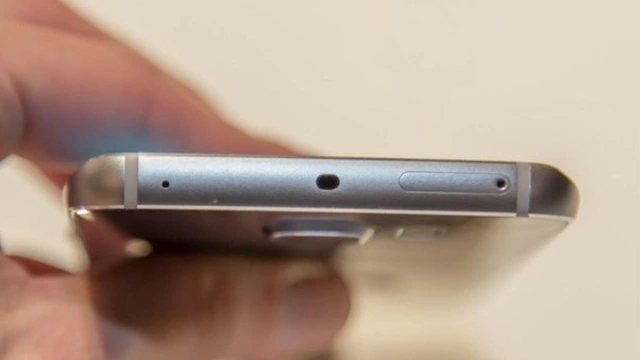
Most smartphones lack built-in IR blasters, which emit the signals your AC unit understands. However, some phone cases or external devices clip onto your phone and bridge this gap.
These IR blasters mimic your physical remote’s signals, allowing you to control basic functions like power, temperature, and fan speed.
Wi-Fi Connectivity
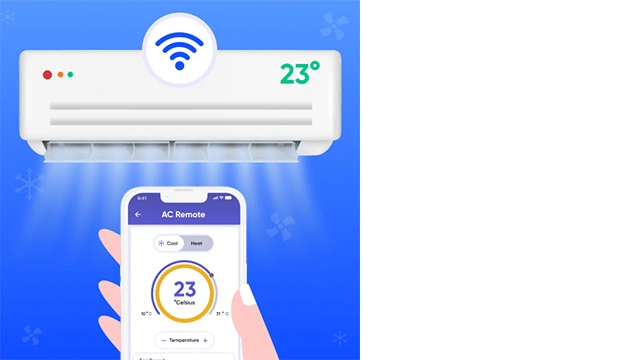
If your AC unit is Wi-Fi enabled or paired with a smart home hub, you can download a dedicated app from the manufacturer or a universal remote app.
These apps connect to your AC via Wi-Fi and offer a broader range of control, including scheduling, energy monitoring, and even voice commands through smart assistants like Google Home or Alexa.
Best Android Apps to Control Your Air Conditioner
Best iPhone Apps to Control Your Air Conditioner
- Air Conditioner Remote
- AC Remote & Air Conditioner
- Universal AC Remote Control
- Air Conditioner Remote WIFI
- AC Remote & Air Conditioner
Advantages of Phone-Based AC Control
Convenience: Having your AC remote readily available on your phone eliminates the frustration of losing or forgetting the dedicated one. Imagine adjusting the temperature from your bed or even remotely controlling your AC while away.
Additional Features: Wi-Fi-connected apps often offer features beyond basic controls. You can set schedules for automatic temperature adjustments, monitor energy consumption, and even receive alerts for maintenance needs.
Universal Control: Some apps can control multiple AC units or even other smart home devices, transforming your phone into a central hub for your home’s comfort.
Challenges and Considerations
Compatibility: Not all AC units or phone models are compatible with every app or IR blaster solution. Do your research to ensure your specific devices can work together.
Range Limitations: IR blasters have a limited range, typically requiring you to be in the same room as the AC unit. Wi-Fi control offers more freedom, but a strong and stable internet connection is crucial.
Battery Drain: Running an AC control app in the background can drain your phone’s battery faster. Consider keeping your phone plugged in while using it as a remote.
Verdict: Is Your Phone AC-cessor-y?
Whether using an IR blaster or a Wi-Fi app, using your phone as an AC remote offers undeniable convenience and potential for additional features. However, compatibility, range limitations, and battery life are factors to consider. Ultimately, the decision depends on your specific needs, AC unit type, and phone model.